
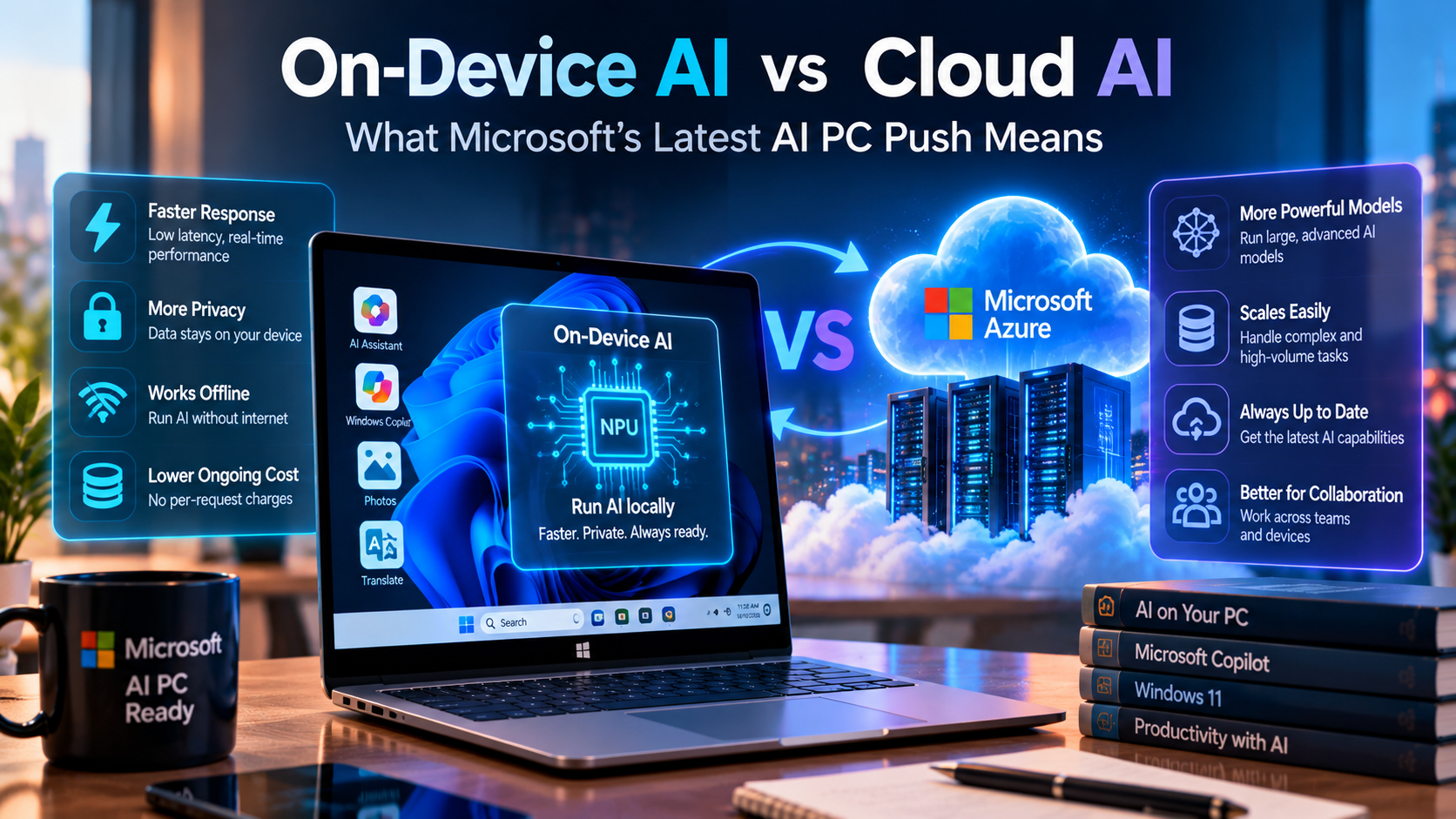
Artificial intelligence is moving beyond cloud-based chatbots and into the computers people use every day. From writing code and summarizing documents to analyzing information and automating repetitive tasks, AI is becoming an increasingly important part of modern software.
On October 7, 2026, Microsoft outlined its vision for Windows as a platform for hybrid intelligence. The approach combines AI models running directly on a PC with cloud-based models that can provide additional computing power when needed. Microsoft also announced new AI-focused Windows devices, developer capabilities, and security measures for AI agents.
For developers and businesses, this raises an important question: should an AI application run locally on a user's device, use a cloud service, or combine both approaches?
This guide explains the differences between on-device AI and cloud AI, Microsoft's latest direction, practical applications, security considerations, and how developers can choose the right architecture.
What Is On-Device AI?
On-device AI runs an AI model directly on a computer, smartphone, or another supported device. Instead of sending every request to a remote server, the application performs inference locally using available hardware such as a CPU, GPU, or Neural Processing Unit (NPU).
For example, a desktop application might use a local language model to summarize a document or classify text without sending the document to an external AI service. The actual capabilities depend on the model, device hardware, operating system, and application implementation.
Benefits of on-device AI
- Low latency: Local inference can avoid the network round trip required by a remote service.
- Data locality: Supported workloads can process sensitive information on the device rather than transmitting it to a cloud model.
- Offline availability: Local features can continue working without an internet connection when the model and required resources are already available.
- Potentially lower usage costs: Local inference can reduce per-request or per-token cloud charges, although hardware, energy, development, and maintenance still have costs.
- More control over deployment: Developers can select supported local models and design application-specific inference workflows.
Limitations of on-device AI
Local models must work within the device's available memory, processing power, battery, and thermal limits. A smaller model may be faster and more efficient but may not perform as well as a larger model on complex reasoning or specialized tasks. Local deployment also introduces model distribution, compatibility, updates, and device-management considerations.
What Is Cloud AI?
Cloud AI runs models on remote infrastructure accessed through an API or hosted application. The provider manages the model-serving infrastructure, and the application sends a request over the network and receives a response.
Cloud services can give applications access to powerful models and scalable infrastructure without requiring every user to own a high-performance AI computer. The precise capabilities, availability, and pricing depend on the selected provider and service.
Benefits of cloud AI
- Access to larger models: Cloud infrastructure can support models that exceed the memory or compute capacity of typical personal devices.
- Centralized updates: Providers can update hosted models and infrastructure without requiring users to download the full model.
- Scalability: Services can be designed to support changing workloads, subject to capacity, rate limits, and cost.
- Centralized operations: Teams can manage access, monitoring, model selection, and service integrations from a central environment.
- Complex workflows: Cloud services can combine models, retrieval systems, databases, and other tools to support demanding applications.
Limitations of cloud AI
Cloud inference usually requires network connectivity and can introduce additional latency. Sending data to a remote service also creates privacy, compliance, retention, and access-control questions. Usage-based pricing can become significant at scale, so developers should evaluate total operating costs rather than only the initial API price.
On-Device AI vs Cloud AI: Key Differences
| Factor | On-Device AI | Cloud AI |
|---|---|---|
| Where inference runs | On the user's supported device | On remote servers |
| Network dependency | Can work offline for supported local features | Normally requires a network connection |
| Response time | Can be very responsive without network delays | Includes network and service-processing latency |
| Model capacity | Limited by local memory and hardware | Can use larger hosted models |
| Privacy | Can keep data local if the application does not transmit it elsewhere | Data is sent to a service, subject to its policies and configuration |
| Cost model | Hardware, energy, deployment, and maintenance costs | API, hosting, infrastructure, and data-transfer costs may apply |
| Updates | May require model or application updates on devices | Hosted model updates can be centrally managed |
| Best fit | Private, responsive, and offline-capable tasks | Complex tasks and workloads needing scalable compute |
Neither approach is automatically better in every situation. The right choice depends on the task, model quality requirements, hardware, privacy obligations, connectivity, and budget.
What Did Microsoft Announce in October 2026?
In its October 7 announcement, Microsoft described a Windows strategy it calls hybrid intelligence. Instead of treating local and cloud inference as competing choices, the platform is intended to support both and route work to the appropriate environment.
1. Hybrid intelligence for Windows
Microsoft's vision is to let AI agents run locally when suitable, reach cloud models when greater capabilities are needed, and operate within security and management controls. This architecture can help applications balance responsiveness, capability, cost, and data handling.
2. More powerful AI-focused PCs
Microsoft highlighted a new generation of Windows devices designed for developers, creators, and demanding AI workloads. The announcement included Surface Laptop Ultra and Surface RTX Spark Dev Box, built around NVIDIA RTX Spark technology, along with plans for additional devices and systems.
These are specialized examples of the direction of local AI computing, not a requirement for every AI-enabled application. Many useful local features can run on more modest hardware, depending on model size and workload.
3. Local models and developer tooling
Microsoft is expanding tools for developers who want to build and experiment with local AI. Windows AI APIs provide access to supported built-in capabilities, Foundry Local supports local model execution, and Windows ML supports model deployment with hardware acceleration.
Microsoft also described experimental Windows ML support for running GGUF models through task-specific APIs. Developers should check the relevant documentation for current availability and compatibility before choosing a production dependency.
4. AI agents with stronger security controls
AI agents may do more than generate text: depending on their permissions and tools, they can interact with files, applications, and business workflows. Microsoft highlighted Microsoft Execution Containers (MXC) as part of its approach to containment, identity, and management for agents on Windows.
These controls are important, but no single security feature makes an agent automatically safe. Developers must still apply least-privilege permissions, validate inputs and actions, protect credentials, and monitor agent activity.
Why Is Microsoft Combining Local and Cloud AI?
Different tasks have different requirements. A quick text classification task may not need a large cloud model. A complex multi-step analysis may benefit from more capable hosted inference. A hybrid system can select the execution path based on the task and the application's policies.
- Better responsiveness: Local processing can handle suitable tasks without waiting for a network response.
- More flexible model selection: Applications can use smaller local models for routine work and cloud models for harder requests.
- Cost management: Local inference can reduce some cloud usage, while cloud capacity remains available when needed.
- Privacy-aware processing: Sensitive tasks may be handled locally when the selected model and workflow support it.
- Resilience: Some local features can remain available when internet access is limited.
Hybrid architecture does introduce complexity. Teams must decide which tasks can run locally, when data may leave the device, how to handle fallback behavior, and how to measure quality across different models.
Practical Use Cases for Developers
Use case 1: Document summarization
A desktop productivity application can use a local model to summarize supported documents. This can be useful when documents contain private information or when users need a feature while offline. For long documents or tasks requiring deeper analysis, the application could offer an optional cloud-based workflow with clear user consent and appropriate safeguards.
Use case 2: AI coding assistants
A local model can assist with simple code explanations, completion, or repetitive transformations. More complex debugging, repository-wide analysis, and tasks requiring broader context may benefit from a cloud model. Developers should review generated code, run tests, and use static analysis and security scanning regardless of where the model runs.
Use case 3: Image and audio processing
Supported local models can process images, recognize text, or handle selected audio and accessibility tasks directly on a device. This can reduce network dependence and improve responsiveness. Check model support, hardware requirements, and accuracy for the target language and use case.
Use case 4: Enterprise knowledge assistants
An enterprise assistant could classify requests locally, retrieve approved information, and send only permitted context to a cloud model for more complex reasoning. The design should enforce access permissions before retrieval, minimize sensitive data in prompts, and log relevant actions without unnecessarily storing private content.
How Developers Can Get Started with Local AI on Windows
Developers building Windows applications can begin by evaluating Microsoft's Windows AI documentation and choosing an approach that fits the application.
- Define the use case: Identify whether the application needs text generation, summarization, OCR, classification, image processing, or another capability.
- Evaluate hardware: Check CPU, GPU, NPU, memory, operating-system, and model requirements on the devices you plan to support.
- Choose the runtime: Evaluate Windows AI APIs for supported built-in features, Foundry Local for local model execution, or Windows ML for deploying supported models with acceleration.
- Build a small prototype: Measure response time, memory use, output quality, and reliability with realistic inputs.
- Design a cloud fallback only when needed: Make the routing decision explicit and ensure users understand when their information will be sent to a remote service.
- Add security controls: Limit file and tool permissions, protect secrets, validate outputs, and require confirmation before consequential actions.
- Test across devices: Verify behavior on different hardware configurations and provide a graceful experience when a local model is unavailable.
Official starting point: Build with local AI on Windows.
A Simple Hybrid AI Architecture
A hybrid application can begin with a user request, identify the task, and decide where inference should occur. The routing logic should consider the sensitivity of the data, the required quality, local hardware capability, connectivity, latency targets, and operating cost.
- The user submits a request to the application.
- The application checks permissions and classifies the task.
- If the task is suitable for local processing, it uses an available local model.
- If local capability is insufficient and policy permits it, the application can request cloud inference.
- The application validates the result, presents it to the user, and records appropriate operational metrics.
This is a conceptual architecture rather than a ready-to-run Microsoft API implementation. The routing policy should be tested, and sensitive information should never be sent to a cloud service merely because the local model failed.
Security and Privacy: What Teams Should Consider
Moving inference onto a PC can reduce data transmission, but local AI is not automatically secure. The device itself may be compromised, local files may be exposed, and an AI agent with broad permissions can still perform unwanted actions.
- Apply least privilege: Give agents only the file, application, and network access required for their task.
- Protect credentials: Never embed cloud API keys in frontend code or expose secrets in logs.
- Request informed consent: Tell users when information may be sent to an external model provider.
- Validate model output: Treat generated code, commands, and tool arguments as untrusted until checked.
- Control consequential actions: Require approval for sensitive operations such as deleting files, changing permissions, or initiating payments.
- Monitor and update: Keep application dependencies, local models, runtimes, and security policies maintained.
For enterprise deployments, also review data retention, regulatory requirements, endpoint management, auditability, and the security guarantees of the selected AI provider.
Which AI Architecture Should Your Business Choose?
Choose on-device AI when the main requirements are low latency, offline operation, or processing data locally, and the model can meet quality requirements on the available hardware.
Choose cloud AI when the application needs capabilities that exceed the target device, centrally managed model access, or scalable compute for demanding workloads.
Choose a hybrid approach when the application needs a combination of local responsiveness and cloud capability. For many modern products, the most useful question is not whether local AI or cloud AI will win, but which parts of the workflow should run in each place.
Frequently Asked Questions
1. What is the main difference between on-device AI and cloud AI?
On-device AI runs inference locally on a supported device. Cloud AI sends requests to models running on remote infrastructure. The two approaches differ in latency, hardware requirements, data handling, model capacity, and cost.
2. What does Microsoft mean by hybrid intelligence?
Microsoft uses the term for an approach in which Windows can combine local AI models and cloud services, routing tasks to the environment that best fits the task while supporting security and management controls.
3. Does on-device AI require an NPU?
Not every local AI workload requires an NPU. Depending on the model and runtime, inference may use a CPU, GPU, or NPU. Supported hardware acceleration can improve performance and efficiency, but requirements vary by application.
4. Is on-device AI always more private?
It can keep data on the device when the application processes that data locally and does not transmit it elsewhere. Privacy still depends on the application's design, permissions, telemetry, storage, and network behavior.
5. Can a local AI model replace a cloud model completely?
Not for every use case. Local models are useful for supported tasks within device limits, while some demanding workloads may require a more capable cloud model. A hybrid design can use both.
6. How can developers build AI applications for Windows?
Developers can explore Windows AI APIs, Microsoft Foundry on Windows, and Windows ML. The right option depends on the desired capability, model format, hardware support, and deployment requirements.
7. Will hybrid AI reduce cloud costs?
It may reduce some cloud inference usage by handling suitable requests locally. However, local hardware, support, distribution, and maintenance have their own costs. Teams should benchmark total cost for their actual workload.
Conclusion
Microsoft's October 2026 Windows announcements show a stronger focus on combining local AI, cloud models, and security controls in one computing platform. On-device AI can provide responsive and privacy-aware processing for supported tasks, while cloud AI offers access to remote compute and more capable hosted models.
For developers, the opportunity is to build applications that use each approach where it makes sense. Start with a clear use case, benchmark real workloads, choose an appropriate runtime, and make data handling and agent permissions part of the design from the beginning.
The future of AI PCs is not simply about running every model locally. It is about delivering the right capability, in the right place, with the right level of control.
Official Resources
- Microsoft: Building Windows for hybrid intelligence
- Microsoft: Bringing local models and sandboxed tools to Windows and GitHub Copilot
- Microsoft Learn: Windows AI
- Microsoft Developer: Build with local AI on Windows
- Microsoft Foundry on Windows: AI development and Windows ML updates
About The Codx
The Codx shares practical insights on software development, artificial intelligence, cloud computing, cybersecurity, and modern technology to help developers and businesses make informed technical decisions.