
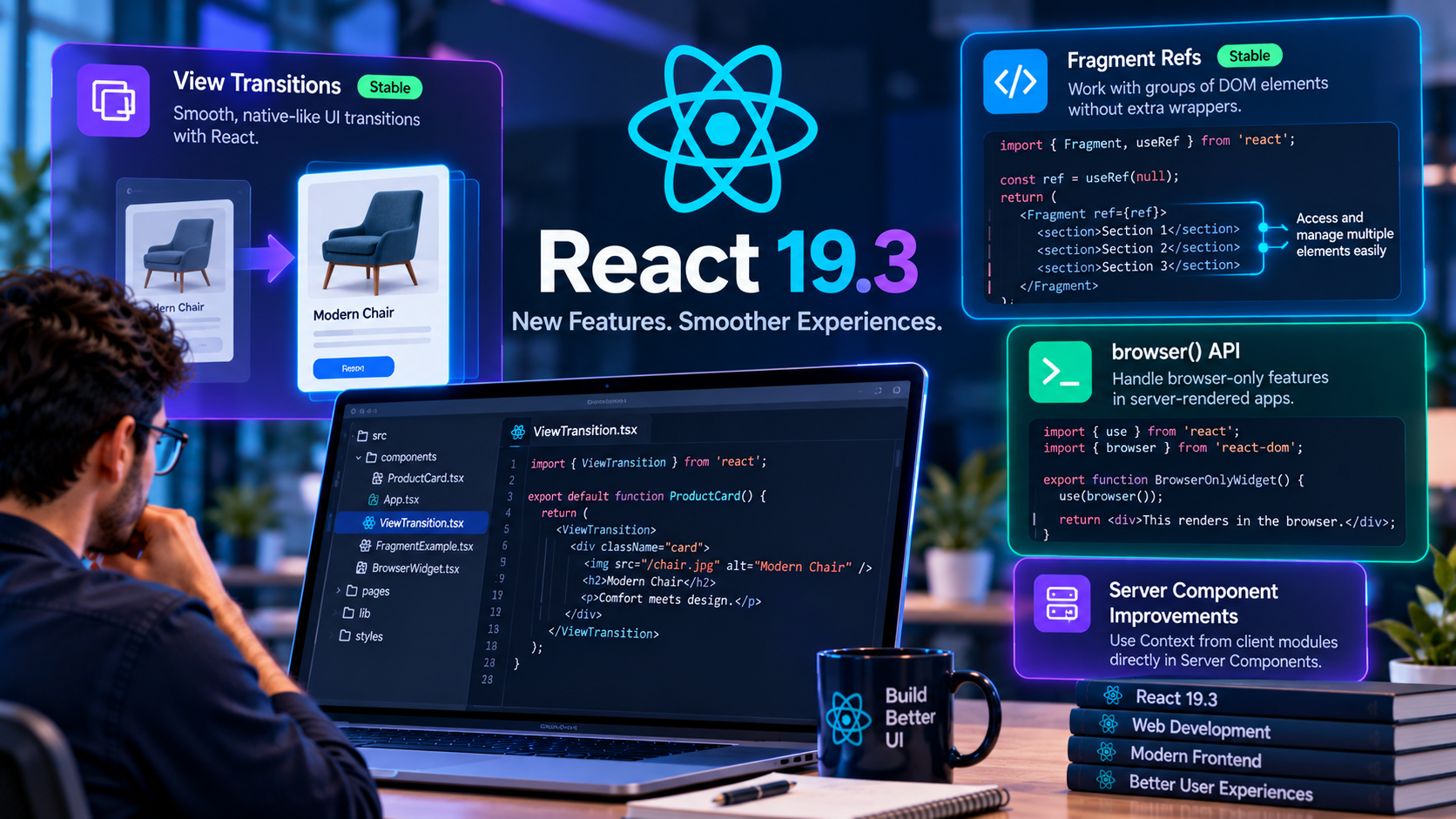
React continues to evolve as developers build more interactive, responsive, and maintainable web applications. The React 19.3 release, published on September 9, 2026, introduces stable View Transitions and Fragment Refs, along with additional improvements to React DOM, Server Components, and rendering behavior.
These updates give developers new ways to animate interface changes, work with groups of DOM elements, and handle components that depend on browser-only functionality.
In this guide, we explore the major React 19.3 changes, practical examples, potential use cases, and important considerations before upgrading an existing project.
Official release notes: React 19.3 — React Blog.
What Is React 19.3?
React 19.3 is a React release that makes View Transitions and Fragment Refs stable and introduces additional improvements across React, React DOM, and Server Components.
Rather than replacing the fundamental React component model, these updates extend existing development patterns. Developers can use them to improve interface transitions, manage DOM behavior across sibling elements, and handle specific server-rendering scenarios.
Not every application needs to adopt every new API immediately. The right approach is to evaluate the features against the application's architecture, browser support requirements, dependencies, and user experience goals.
1. View Transitions Are Now Stable
One of the major highlights of React 19.3 is that the ViewTransition component is now stable. It allows developers to animate interface elements as they enter, exit, move, or change during supported React transitions.
Previously, developers often implemented interface animations with custom CSS, animation libraries, or the browser's View Transition API. React's ViewTransition component provides a React-oriented way to coordinate certain animations with UI updates.
How ViewTransition Works
Import ViewTransition from React and wrap the element or component that should participate in an animated transition.
import { ViewTransition } from 'react';

export default function ProductPreview({ product }) {
  return (
    <ViewTransition>
      <article className="product-preview">
        <img src={product.image} alt={product.name} />
        <h2>{product.name}</h2>
        <p>{product.description}</p>
      </article>
    </ViewTransition>
  );
}
This example shows the component structure. An animation occurs only when the relevant update participates in a supported React transition; wrapping an element alone does not guarantee that every change will animate.
When Should Developers Use View Transitions?
- E-commerce: Create smoother transitions between product previews and expanded product details.
- Dashboards: Animate selected interface changes when switching between views.
- Content websites: Improve transitions when articles, cards, or featured content change.
- Interactive galleries: Make changes between images or selected items easier to follow visually.
React supports different transition types, including enter, exit, update, and shared-element transitions. Developers can customize the animation behavior with the supported ViewTransition props and CSS classes.
Animations should remain subtle, respect reduced-motion preferences, and avoid delaying interactions that need to respond immediately.
Official reference: React ViewTransition documentation.
2. Fragment Refs Provide More Control Over Groups of Elements
React Fragments allow components to return multiple sibling elements without adding an unnecessary wrapper to the DOM.
Previously, attaching a single ref to a group of sibling elements could be difficult because there was no single parent DOM element to reference. Adding a wrapper solely for this purpose could affect layout, CSS selectors, or accessibility structure.
React 19.3 introduces stable Fragment Refs, allowing a ref to be attached to a Fragment to access supported operations across its first-level DOM children.
Example: Observing a Group of Elements
import { Fragment, useEffect, useRef } from 'react';

export default function ContentGroup() {
  const fragmentRef = useRef(null);

  useEffect(() => {
    const fragment = fragmentRef.current;

    if (!fragment) return;

    const observer = new IntersectionObserver((entries) => {
      entries.forEach((entry) => {
        if (entry.isIntersecting) {
          console.log('A child is visible');
        }
      });
    });

    fragment.observeUsing(observer);

    return () => {
      fragment.unobserveUsing(observer);
      observer.disconnect();
    };
  }, []);

  return (
    <Fragment ref={fragmentRef}>
      <section>First section</section>
      <section>Second section</section>
      <section>Third section</section>
    </Fragment>
  );
}
This example illustrates how a FragmentInstance can work with an IntersectionObserver without introducing an extra wrapper. Adapt observer handling and cleanup to the exact behavior required by your component.
Where Fragment Refs Are Useful
- Observing groups of sections as they enter the viewport.
- Managing focus across related DOM elements.
- Attaching and removing event listeners for supported child elements.
- Measuring element positions or scrolling relevant content into view.
- Working with components that render sibling elements without exposing one parent DOM node.
Fragment Refs provide specific supported DOM operations; they do not turn a Fragment into a normal HTML element. Review the official Fragment documentation before using a particular method.
Official reference: React Fragment documentation.
3. The browser() API for Browser-Dependent Rendering
Applications that use server rendering must produce an initial HTML representation on the server and then hydrate it in the browser. Components that depend on browser-only APIs, such as localStorage or a user's local time zone, may not be able to produce meaningful server-rendered output.
React 19.3 introduces the browser() API in react-dom. In supported server-rendering scenarios, developers can use it with React's use API to suspend server rendering for a component that should render only in the browser.
Example
import { use } from 'react';
import { browser } from 'react-dom';

export default function BrowserOnlyWidget() {
  use(browser());

  return (
    <div>
      This widget renders in the browser.
    </div>
  );
}
During server rendering, the component suspends and the nearest Suspense boundary can provide fallback content. Once the component is hydrated in the browser, it can render normally.
This API is intended for specific rendering situations, not as a replacement for every useEffect or every browser feature check. Review the rendering behavior and fallback design before using it in production.
Potential use cases include widgets that depend on browser-local information or integrations that cannot render meaningfully on the server.
4. Improvements to React Server Components
React 19.3 includes an improvement that allows Server Components to render a Context imported from a client module directly, without requiring an additional wrapper component whose only purpose is to pass a value through Context.
This can simplify some architectures where a server-rendered layout obtains data and provides it to the client component tree.
For example, a client module can export a Context:
'use client';

import { createContext } from 'react';

export const UserContext = createContext(null);
A supported Server Component can then render that Context directly:
import { UserContext } from './user-context';

export default async function Layout({ children }) {
  const currentUser = await getCurrentUser();

  return (
    <UserContext value={currentUser}>
      {children}
    </UserContext>
  );
}
This is a simplified architectural illustration. The getCurrentUser function, authentication checks, and data-loading logic must be implemented by the application. Server Components and client modules must also follow the conventions of the framework being used.
This improvement can be useful when working with supported React Server Components architectures, but it does not mean every React application can use Server Components without a compatible framework or build setup.
5. Additional React DOM and Rendering Improvements
Alongside the headline features, React 19.3 includes a number of changes and bug fixes across React, React DOM, and Server Components.
The official changelog includes improvements related to transition rendering, event handling, form behavior, resource loading, hydration, and FragmentInstance behavior.
Examples include:
- Improvements to how independent React transitions are rendered.
- Additional React DOM event support for fullscreen changes.
- Updates to fetchPriority handling for module resources.
- Changes to form reset event handling after supported Server Actions.
- Fixes involving hydration, Suspense, and FragmentInstance behavior.
These changes may be valuable to applications affected by the specific behaviors, but developers should review the complete release notes rather than assuming every update produces a visible performance improvement in every application.
Official source: React 19.3 release notes and changelog.
React 19.3 vs React 19.2: What Should Developers Know?
React 19.3 builds on the React 19 release line. The major distinction for developers is the stable availability of View Transitions and Fragment Refs, together with additional API and bug-fix updates.
When deciding whether to upgrade, focus on the features and fixes relevant to your application rather than treating a higher version number as a guarantee of improved performance.
- Existing applications: Check dependency compatibility and test current behavior before upgrading.
- Animation-heavy interfaces: Evaluate whether View Transitions can simplify supported UI transitions.
- Component libraries: Assess whether Fragment Refs provide useful DOM behavior without introducing wrappers.
- Server-rendered applications: Review browser() and Server Component changes against your framework's supported rendering architecture.
For exact version information, consult the official React versions page: React versions and releases.
How to Upgrade an Existing React Project
Before upgrading, check the current React and React DOM versions, review your framework's compatibility, and make sure the project has a working test suite.
For a standard npm project, inspect the installed versions:
npm ls react react-domReview the release requirements and dependency compatibility before updating packages. In a project that is ready for React 19.3, the installation command may look like this:
npm install react@19.3.0 react-dom@19.3.0Use the exact version appropriate to your project and current release guidance. Framework-managed applications may require a framework-specific upgrade process rather than changing React packages independently.
After updating, run the available checks:
npm run build
npm test
If your project does not define a test script, use its actual test command or omit that step. Also run linting, type checking, and end-to-end tests if they are part of your workflow.
Important Upgrade Checks
- Verify peer dependencies and framework compatibility.
- Review browser support for features that rely on browser APIs.
- Test animation behavior and reduced-motion settings.
- Check server rendering and hydration for mismatches.
- Test forms, event handling, and focus behavior.
- Review warnings and errors in development and production builds.
- Deploy through staging before releasing to all users.
Keep a rollback plan for production applications and avoid combining a major architectural migration with unrelated changes in one release.
Practical Use Cases for React 19.3
E-Commerce Websites
View Transitions can improve the experience of moving between product views, galleries, and selected items. Fragment Refs may help component libraries manage focus or visibility across related elements without adding unnecessary wrappers.
Admin Dashboards
Dashboards often contain filters, expandable sections, and multiple data views. Developers can evaluate View Transitions for selected state changes and use Fragment Refs for supported focus or observation tasks.
Content and Publishing Platforms
Content-heavy interfaces may benefit from smoother transitions between featured items and improved control over groups of headings or sections. The value depends on the interface and should be validated through usability testing.
Server-Rendered Applications
Applications that use a supported Server Components architecture can evaluate the Context and browser() improvements where they simplify existing rendering patterns. These features should be introduced with careful attention to hydration, fallbacks, and framework compatibility.
Common Mistakes to Avoid
- Assuming every update animates: ViewTransition animations depend on supported transition behavior and the way updates are scheduled.
- Adding unnecessary Fragment Refs: Use them when group-level DOM behavior is needed, not as a replacement for every regular ref.
- Using browser() everywhere: Browser-only rendering should be reserved for components that genuinely need it.
- Upgrading without testing: Package compatibility, framework behavior, and application-specific rendering need validation.
- Assuming performance gains: Measure loading, interaction, and rendering behavior rather than relying on release headlines.
- Ignoring accessibility: Motion, focus behavior, and dynamic UI changes should remain usable for different users.
How The Codx Can Help with React Development
Modern React development requires more than adopting the latest APIs. Teams need a maintainable component architecture, reliable integrations, appropriate performance testing, and a release process that protects existing functionality.
The Codx works across software development and digital solutions. Businesses planning React websites, dashboards, or custom web applications can assess their project requirements and choose suitable implementation and testing practices.
To discuss your web development requirements, visit The Codx website.
Frequently Asked Questions
When was React 19.3 released?
According to the official React release notes, React 19.3 was published on September 9, 2026.
What are the main features of React 19.3?
Major highlights include stable View Transitions and Fragment Refs, the browser() API for specific browser-dependent rendering scenarios, and improvements to Server Components and React DOM.
What is ViewTransition in React?
ViewTransition is a React component that coordinates supported animations when elements enter, exit, move, or change during React transitions.
What are Fragment Refs?
Fragment Refs allow developers to access supported DOM operations across the children of a Fragment without introducing a wrapper element solely to hold a ref.
Should every React project upgrade to React 19.3 immediately?
Not necessarily. Developers should review release notes, framework and dependency compatibility, and application-specific risks. Test the upgrade in staging before deploying it to production.
Does React 19.3 replace animation libraries?
No. View Transitions provide a built-in option for supported UI transitions, but animation libraries remain useful for other animation patterns, timelines, gestures, and interactions.
Can React 19.3 features be used in React Native?
The official release notes state that ViewTransition currently works in the DOM and that support for React Native and other platforms is being developed. Verify each API's platform support before using it in a native application.
Conclusion
React 19.3 introduces useful improvements for modern web development, especially through stable View Transitions and Fragment Refs. Its browser() API and Server Component improvements also provide additional options for specific rendering architectures.
For developers, the best way to adopt these features is to start with a real use case, review the official documentation, implement a focused change, and test its behavior carefully.
Upgrading React should be driven by application needs, compatibility, and measurable improvements rather than by version numbers alone.